A guide to creating podcasts
creating
podcasts
What are we going to cover?
At UNE, podcasts are a fantastic way to connect with students, colleagues, and the wider community. They offer a personal and engaging format for sharing ideas, stories, and expertise in ways that go beyond traditional written content.
Essentially, a podcast is a conversation - between two or more people - that invites listeners to join in, reflect, and learn. Podcasts have become increasingly popular as an alternative way of consuming information, offering a flexible and mobile-friendly experience that fits easily into busy lives. Whether someone’s commuting, exercising, or simply taking a break, podcasts allow people to listen, learn, and connect anytime, anywhere.
So, you’ve decided to create a podcast - that’s an exciting first step to create engaging media!
Why create a podcast?
One of the great things about podcasting is how approachable it is. With some thoughtful planning and the right setup, it’s possible to create high-quality, professional content without needing a full production background.
Podcasts are also a relatively easy and cost-effective way to produce quality media content. They can complement other communication channels, helping UNE share research, teaching insights, or student experiences in a fresh and accessible way.
Why create a podcast?
Taking the time to plan now will make recording smoother and
your final podcast much stronger.
This next section will take you through some of the core
questions you should consider before recording.
Pre-production is the planning and organising stage - the part where your ideas start to take shape.
Pre-production
External podcast (the most popular option).
For public distribution on platforms such as Spotify, Apple Podcasts, or Google Podcasts.
To publish externally, you’ll need a podcast aggregator. This service hosts your episodes and distributes them to major streaming platforms on your behalf. Aggregators usually involve hosting or subscription costs, so it’s a good idea to plan ahead and ensure funding is available before you begin.
If you’d like guidance, the Learning Media team can recommend aggregators and tools we’ve used previously. However, the setup and ongoing management of the aggregator will remain with you as the podcast host.
Internal podcast
For students and staff within UNE’s learning environment.
This option is straightforward — we can use UNE’s existing media platforms to make your podcast available to students in your unit/s. The Learning Media team will support you in getting your episodes embedded and accessible where they need to be.
This is an important first distinction, here you have two options:
How will the podcast be broadcast?
Pre-production
What format will the podcast follow?
Will it be an interview, panel discussion, narrative/storytelling, Q&A, or a mix? Choosing a format early helps guide scripting and guest preparation.
Are there any accessibility considerations?
Do you need transcripts, captions, or alternative formats? Planning for accessibility early avoids delays later.
Who will your guests be?
Who can offer insights, stories, or expertise that support your topic?
Will there be guests?
If so, are they based on campus or external contributors?
How many episodes will there be?
Is it a one-off, a short series, or an ongoing project?
Who is your audience?
Are you speaking to school leavers, current students, academics, or the general community?
Guiding questions for your podcast
Pre-production
Can UNE’s social media team support your promotion?
UNE’s social media team may be able to help you amplify your message across official channels. Exploring a coordinated, cross-channel approach can significantly increase visibility and listener engagement.
Will you need promotional materials or cross-promotion?
Think about whether paid ads, posters, newsletters, or partnering with other podcast series could help extend your reach. Cross-promotion is a powerful way to connect with listeners who are already interested in
similar topics.
Where is your audience already active?
Consider any existing social media pages, online groups, or communities where your listeners spend time. Sharing your episodes in places they already follow can help your podcast gain early traction.
Even the strongest content relies on being discoverable. In our experience, little or no promotion typically results in very low listener engagement. It’s important to plan how you’ll spread the word about your podcast.
How will people find your podcast?
Pre-production
Choose a credible and relatable voice. Your narrator should suit the topic and audience.
Make narration smooth and confident. Avoid wording that might cause the speaker to stumble.
Adopt an informal tone. Speak directly to the listener using “you”.
Use short pauses. This gives listeners time to absorb and reflect on what’s being said.
Keep sentences simple. Avoid complex phrasing and use familiar, conversational words.
Write for listening, not reading. Speak your script aloud as you draft it - written language sounds very different when heard.
Good audio design helps turn information into an engaging listening experience. The following principles can help you create content that feels natural, professional, and easy to follow:
Audio design principles
Pre-production
Engage your audience. Encourage active listening by posing questions or short reflections throughout.
Vary tone and pacing. Natural rises, falls, and pauses make the content sound authentic.
Select music carefully. Background music should support the narration, not compete with it.
Pay attention to pronunciation and emphasis. Clear, confident delivery builds credibility.
Match delivery speed to your audience. Around 180 words per minute is typical.
Include multiple voices when possible. Two or more speakers can add variety and hold attention.
Audio design principles
Pre-production
You’ll need to coordinate the recording session and find a time that works well for everyone involved.
As a general rule, allow about one hour to record a 30-minute episode. This gives space for setup and conversation.
If your recording is booked for 11:00–12:00, then an example could be:
- 11:00 - Arrive, get comfortable,
adjust microphones, and run a quick audio check.
- 11:15 - Begin recording.
- 11:45 - Wrap up and review takes.
Building in this buffer helps keep the session relaxed and ensures you capture your best material.
Organising recording time
Pre-production
To make sure the session runs smoothly and
everyone feels comfortable, here are a few
helpful reminders.
Recording day is when everything comes together.
Recording Day
A printed or digital copy of your script
or questions
This helps you stay on track.
Your phone on aeroplane mode or
switched off
To avoid any technical interference or distractions.
Quiet clothing and accessories
Please remove any noisy jewellery such as bracelets or necklaces that might jingle during recording.
Water bottle or cup
There’s filtered water available in the studio area.
What to bring
If you or any of your guests are unwell, please email the Learning Media team to arrange a new time. Recording while sick can affect both audio quality and comfort, so it’s always best to reschedule.
If you are unwell
Recording Day
It’s normal to feel a little nervous at first, especially with the lights and microphones. Try to relax and treat the session as a natural conversation rather than a performance.
Smiling as you speak adds warmth to your voice, and brief pauses help listeners absorb what you’re saying. Remember, small stumbles can always be edited out - aim to sound authentic, not perfect.
Feeling comfortable
When you arrive, you’ll be shown to your seat and the microphones will be adjusted - this can take a moment as we make sure everything is at the right height and distance.
The studio has two doors for soundproofing, so once you’re ready, both will be closed to create a quiet recording space. You’ll then put on your headphones - this allows you to hear yourself, your co-host or guest, and the control room clearly.
Before recording starts, you’ll be asked to do a quick sound check. This helps us set the correct audio levels and make any last adjustments to your headphones or microphone position.
What to expect
Recording Day
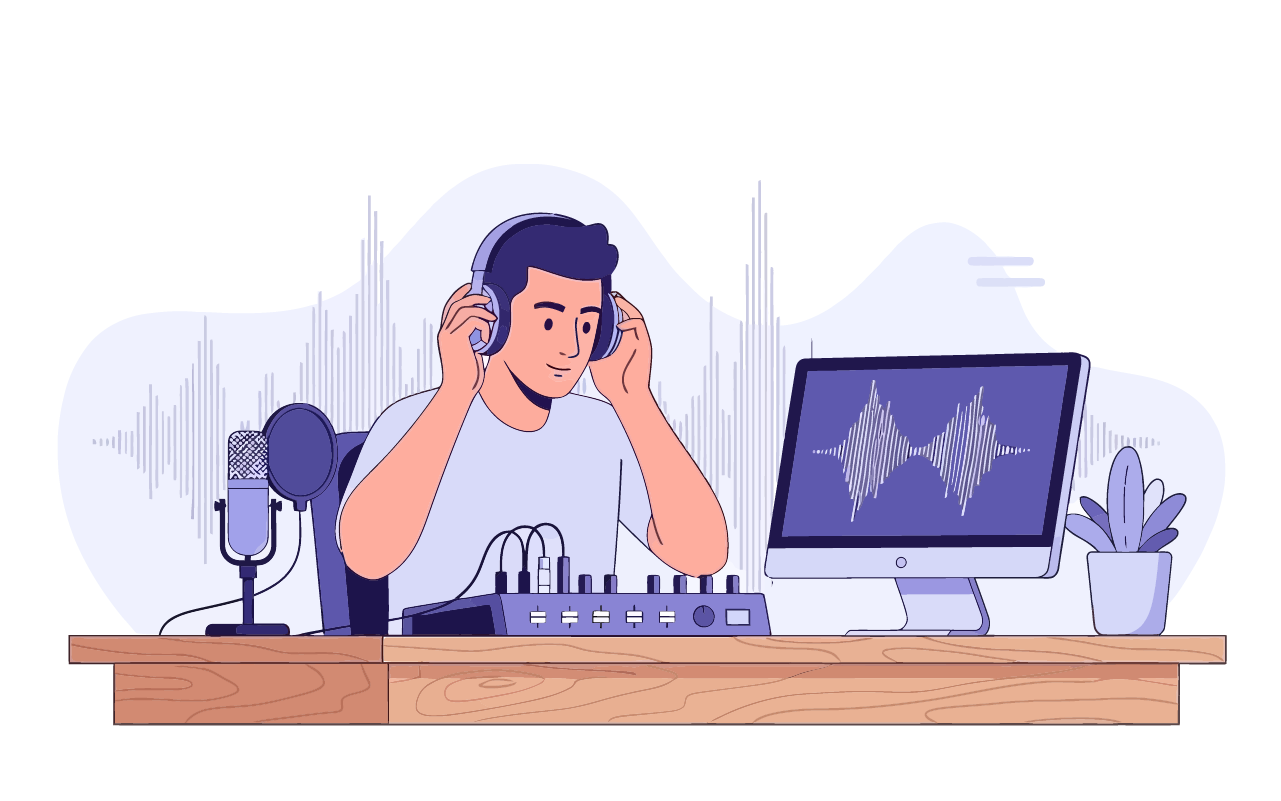
It’s the stage where your conversation becomes a
finished, professional piece of content.
Post-production is the final stages - editing, polishing, and preparing your podcast for release.
Post-production
Final delivery
After approval, the final version of your podcast will be uploaded to Dropbox for you to access and distribute wherever it needs to go - such as the UNE website, your learning site, or other podcast platforms.
Receiving your draft
When a draft version of your podcast is ready, it will be uploaded to the same Dropbox folder. This is your opportunity to review the episode and request any final changes.
Editing and review
Once your edit sheet is complete, send it back to the Learning Media team. Your episode will then be edited based on your notes and feedback.
Using the edit sheet
An edit sheet is on the next slide. Use it to mark timecodes, note preferred takes, and outline any specific edits or adjustments you’d like. This step can take a little time, so make sure you allow enough space in your schedule to do it carefully - it will make the editing and review process much faster later on.
Reviewing your audio
The recordings you receive won’t be edited yet. Take the time to listen through and make notes about sections you’d like trimmed, rearranged, or enhanced.
Accessing your files
You’ll receive an email with a link to a Dropbox folder. This folder will contain all your supporting documents and the raw audio recordings from your session.
Here’s what to expect:
Post-production
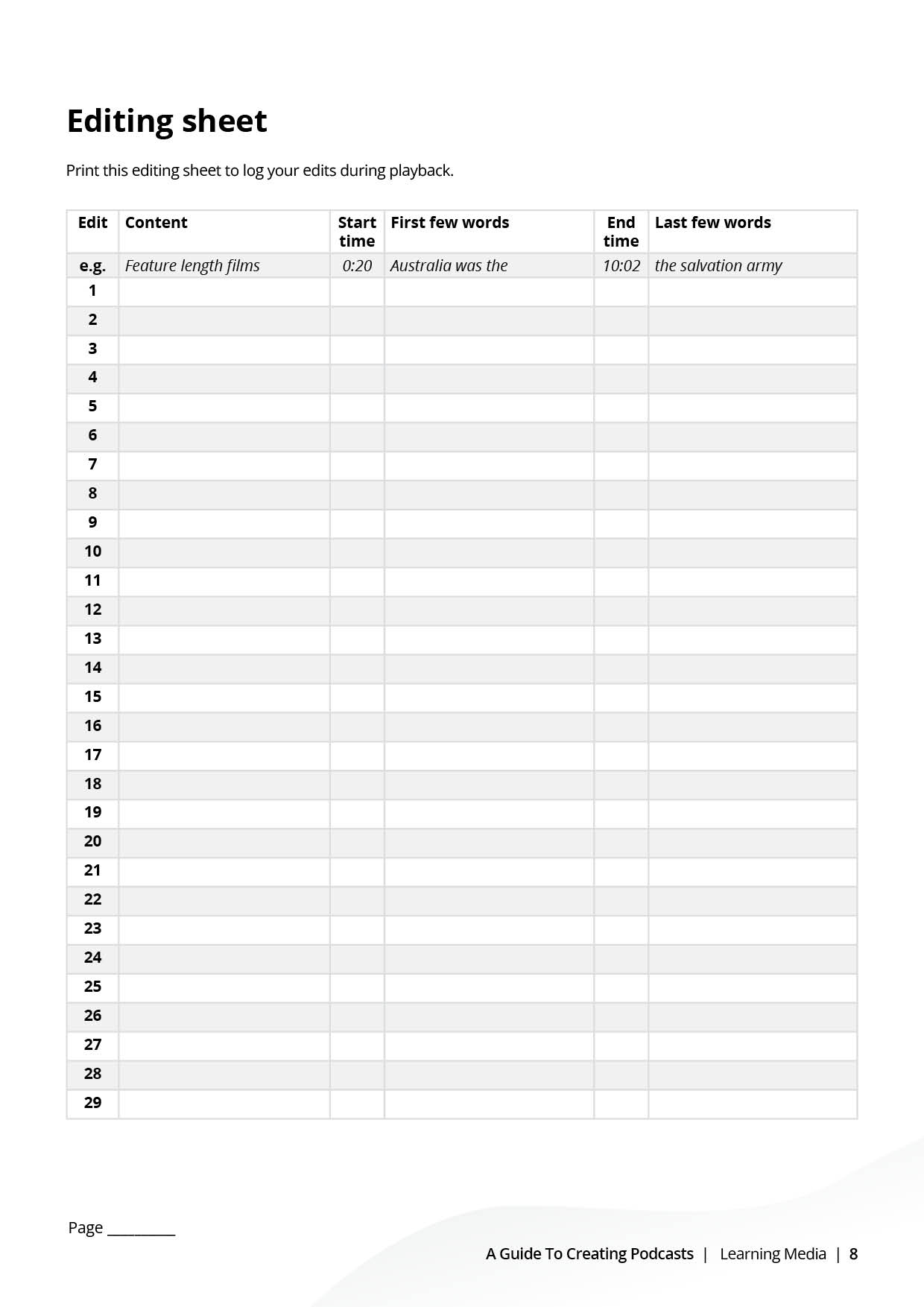
Download and print our editing sheet to assist with your post-production changes.
Editing Sheet
Post-production
We’ve made an interactive guide to step you through the process of creating a podcast.
If you’d rather a printable version, please see below.
Printable version
This comprehensive resource from Learning Media provides everything you need to know about creating professional podcasts using UNE’s audio studio facilities.
We’ll walk you through:
- planning,
- pre-production,
- filming day
- post-production
- and have an editing sheet at the end.